




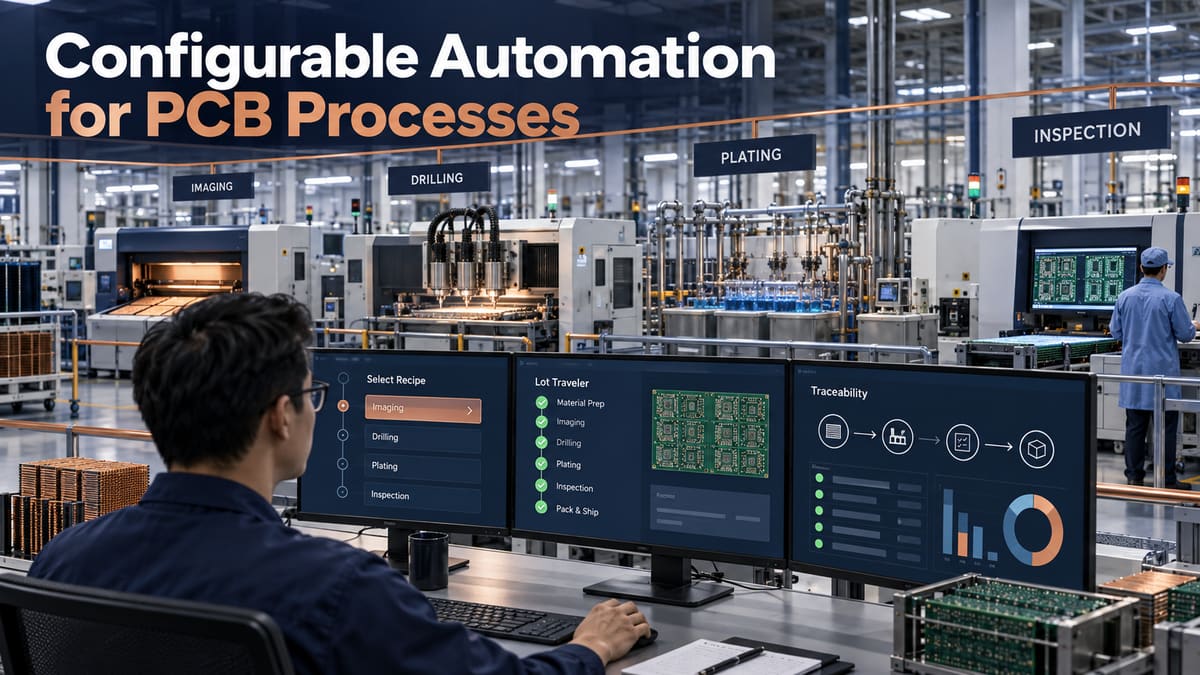
Configurable automation for PCB processes is a control architecture that lets a factory run different board types through released recipes, equipment interfaces, inspection rules, and traceable exception workflows without rewriting the entire production system for every job. It is valuable in high-mix PCB fabrication because imaging, drilling, plating, lamination, profiling, and inspection all need product-specific settings while still requiring disciplined change control.
The goal is not a lights-out factory at any cost. The goal is repeatable execution with clear ownership: which data comes from engineering, which settings the machine may adjust, which deviations stop the lot, and which records prove what happened. Send your fabrication files, stack-up, quantities, critical controls, and reporting needs through PCBTRY’s engineering contact for a manufacturability and traceability review.
What Does Configurable Automation Mean in PCB Manufacturing?
Configurable automation separates stable control logic from job-specific parameters. The stable layer enforces permissions, equipment states, interlocks, data capture, and exception handling. The configurable layer contains approved recipes, routing choices, sampling plans, alarm limits, and report fields for a defined product family.
This distinction matters because a “flexible” system can become uncontrolled if operators freely edit process values. A safe configuration must identify the revision, approver, effective date, compatible equipment, allowable range, validation evidence, and rollback version.
Where Can Configurable Automation Be Used Across PCB Processes?
| Process | Useful configuration | Control evidence |
|---|---|---|
| Material issue | Approved material family, lot rules, shelf-life and route | Barcode genealogy and release status |
| Imaging | Artwork revision, panel compensation, exposure recipe | Program checksum, setup confirmation, AOI link |
| Drilling | Tool list, hit limits, stack height, program revision | Tool-life record, program identity, alarm history |
| Plating | Product route, current program, time and bath eligibility | Lot timestamps, bath status, coupon/test result |
| Lamination | Material-specific press recipe and load construction | Recipe revision and cycle trace |
| Inspection | Program, defect classes, sampling and escalation | Images, dispositions and reviewer identity |
The table is a starting map, not permission to automate every decision. Chemistry correction, defect disposition, and safety-critical release normally need qualified human review even when software supplies recommendations.
How Does the PCB Automation Control Loop Work?
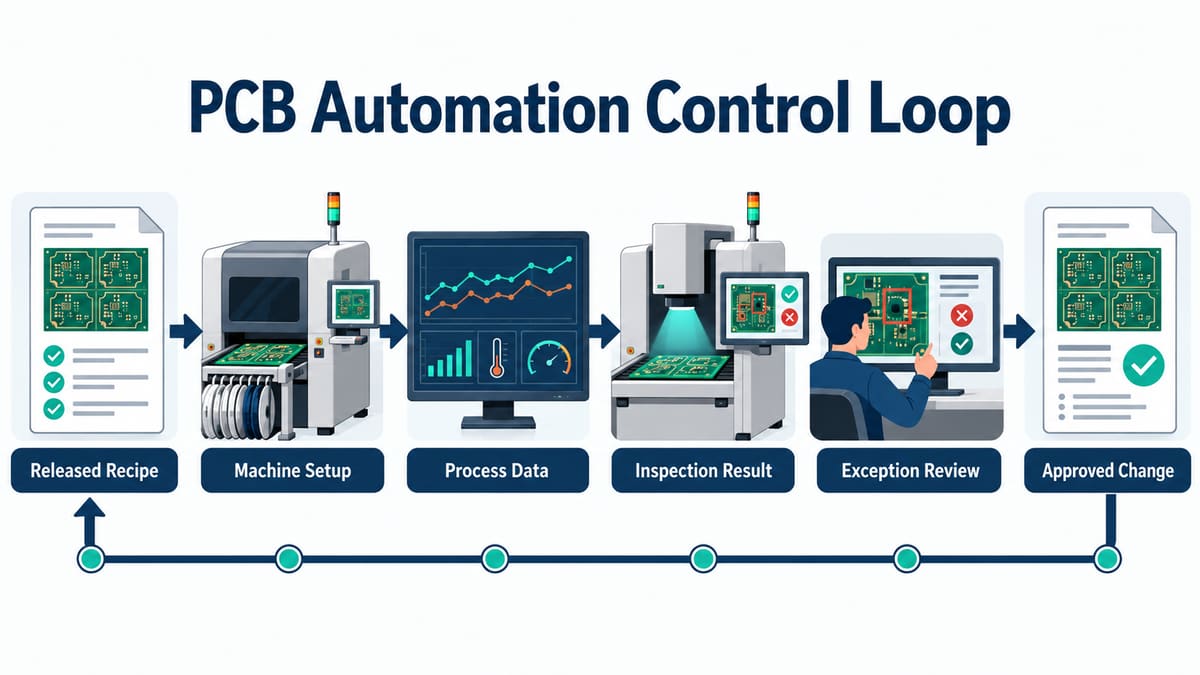
A reliable loop starts with released product data and ends with an approved change returned to the controlled recipe library.
1. Release the digital process definition. Engineering links the manufacturing part number to the correct CAM data, route, material list, equipment class, recipes, inspection plan, and revision. Missing or mismatched objects should block dispatch rather than invite an operator guess.
2. Verify material, machine, and tooling. Scans or system checks confirm that the lot, material batch, machine, tools, and fixtures are eligible. A green screen is meaningful only if master data is current and bypass rights are controlled.
3. Download and lock the approved recipe. The system sends the correct program and verifies identity. Critical fields should not be editable at the machine without authorization and an audit trail. A local file with the same name but different content is a change-control failure.
4. Capture process and equipment data. Record actual timestamps, alarms, states, consumables, and selected measurements. Collect data that supports a decision; indiscriminate tags create storage without traceability.
5. Join inspection results to the lot. AOI, electrical test, dimensional checks, coupons, and laboratory results must map to the correct panel, coupon, or serial unit. Otherwise the dashboard can show a pass that belongs to another revision.
6. Review exceptions and contain affected work. A defined rule stops, holds, or routes the lot when an input is missing or a limit is exceeded. The system should identify the last known-good unit and the scope requiring review.
7. Validate and approve changes. Engineers compare proposed settings against trials and acceptance results. Approved changes receive a new revision, effective point, authorization, and rollback plan rather than silently overwriting history.
What Data Model Is Needed for Traceability?
The minimum model connects customer part, internal part, design revision, manufacturing order, panel or unit identity, material lots, route step, equipment, recipe revision, operator or service identity, timestamps, inspection results, nonconformance, and shipment. A dashboard without these relationships can show trends but cannot reconstruct a suspect lot.
Define naming and time rules before integration. Decide which system owns each identifier, how rework creates a new route history, how split and merged lots are represented, and how clocks are synchronized. Test genealogy using an actual containment question: “Which shipped units used this material lot while this recipe revision was active?”
How Should Recipes and Permissions Be Controlled?
| Change type | Typical authority | Required check |
|---|---|---|
| Job selection | Authorized operator/system dispatch | Part, revision, equipment and route match |
| Value inside approved operating window | Defined role or closed-loop controller | Range, reason and actual value recorded |
| Limit or recipe master change | Process engineering approval | Trial evidence, risk review, new revision |
| Interlock bypass | Restricted emergency authority | Time limit, reason, affected lot and follow-up |
| Software/interface release | Validated change team | Version test, rollback and data-integrity check |
What Usually Goes Wrong During Deployment?
- Automating an unstable process: software reproduces variation faster because measurement and ownership were never stabilized.
- Connecting machines before defining data: identical tag names carry different units, timing, or meanings.
- Silent manual overrides: the displayed recipe differs from the value actually run.
- Inspection without containment: defects are detected but downstream lots keep moving.
- Too many alarms: operators normalize nuisance alerts and miss the actionable one.
- No degraded mode: a network or server failure forces uncontrolled production or unnecessary factory shutdown.
How Should a PCB Factory Deploy Automation?
- Select one product family and one measurable loss mechanism.
- Map current decisions, records, owners, bypasses, and failure responses.
- Stabilize measurement systems and master data.
- Define interfaces, identifiers, units, timestamps, and system ownership.
- Run shadow mode: compare automation decisions with controlled manual execution.
- Pilot a bounded route with explicit stop and rollback criteria.
- Verify genealogy, alarm response, containment, cybersecurity, backup, and recovery.
- Expand only after the pilot produces repeatable quality and usable records.
How Do Buyers Evaluate an Automated PCB Supplier?
Do not ask only whether the factory has MES. Ask for evidence that the system controls your job: how it prevents wrong-revision programs, traces material and process history, links inspection to panels, controls overrides, contains exceptions, and preserves records. The answer should name the decision and evidence, not just the software brand.
- Which product and process identifiers appear on the traveler and final report?
- Can the supplier trace a shipped lot backward to material and recipe revisions?
- What stops production when a required input or inspection is missing?
- Who can edit recipes or bypass interlocks, and how is that audited?
- How are system outages handled without losing genealogy?
Frequently Asked Questions
Is configurable automation the same as fixed automation?
No. Fixed automation is optimized for a narrow, stable product and sequence. Configurable automation keeps core controls stable while approved product recipes, routes, and inspection rules change.
Does automation eliminate PCB process engineers?
No. It moves their effort toward process definition, limits, validation, exceptions, and improvement. Unusual defects and recipe changes still need accountable engineering judgment.
Which PCB process should be automated first?
Choose a bounded process with reliable measurements, frequent repeatable loss, clear ownership, and a safe fallback. Avoid selecting solely because a machine has an available interface.
What is recipe management?
It is controlled creation, approval, release, download, verification, revision, and retirement of machine or process settings. It should prove exactly which version ran on each lot.
How is MES different from machine control?
Machine control executes equipment states and local parameters. MES typically coordinates orders, routes, identities, records, and dispatch across operations; the boundary must be defined for each interface.
Can automated inspection release a PCB lot?
Only when the inspection method, program, acceptance rule, validation, data integrity, and exception route support that decision. Some findings still require human classification or additional testing.
What records should a buyer request?
Request records tied to actual risk: material genealogy, controlled recipe identity, critical process/coupon results, electrical test, FAI, nonconformance status, and certificate of conformance as agreed.
How do you calculate automation ROI?
Use verified baseline losses such as setup errors, rework, inspection delay, containment time, scrap, and record-retrieval labor. Include integration, validation, maintenance, training, downtime, and cybersecurity costs.
Prepare an Automation-Aware PCB RFQ
Send Gerbers, drill and outline data, stack-up, quantities, controlled characteristics, inspection plan, serialization needs, and required lot records through PCBTRY’s contact page. The useful output is a manufacturing plan that states what will be controlled, captured, reviewed, and delivered as evidence.



0 Comments